Your studio knowledge base — routing, manuals and more!
Free for up to 6 devices — available on iPad and Mac.
"Studio Guru is exactly what I've been looking for. I can finally document my entire studio setup in one place — the signal flow canvas is brilliant for a complex rig like mine."
Everything your studio needs, in one app.
10 features built for studio owners and producers. Start free — upgrade to Pro when you're ready.
Graphical studio setup at a glance
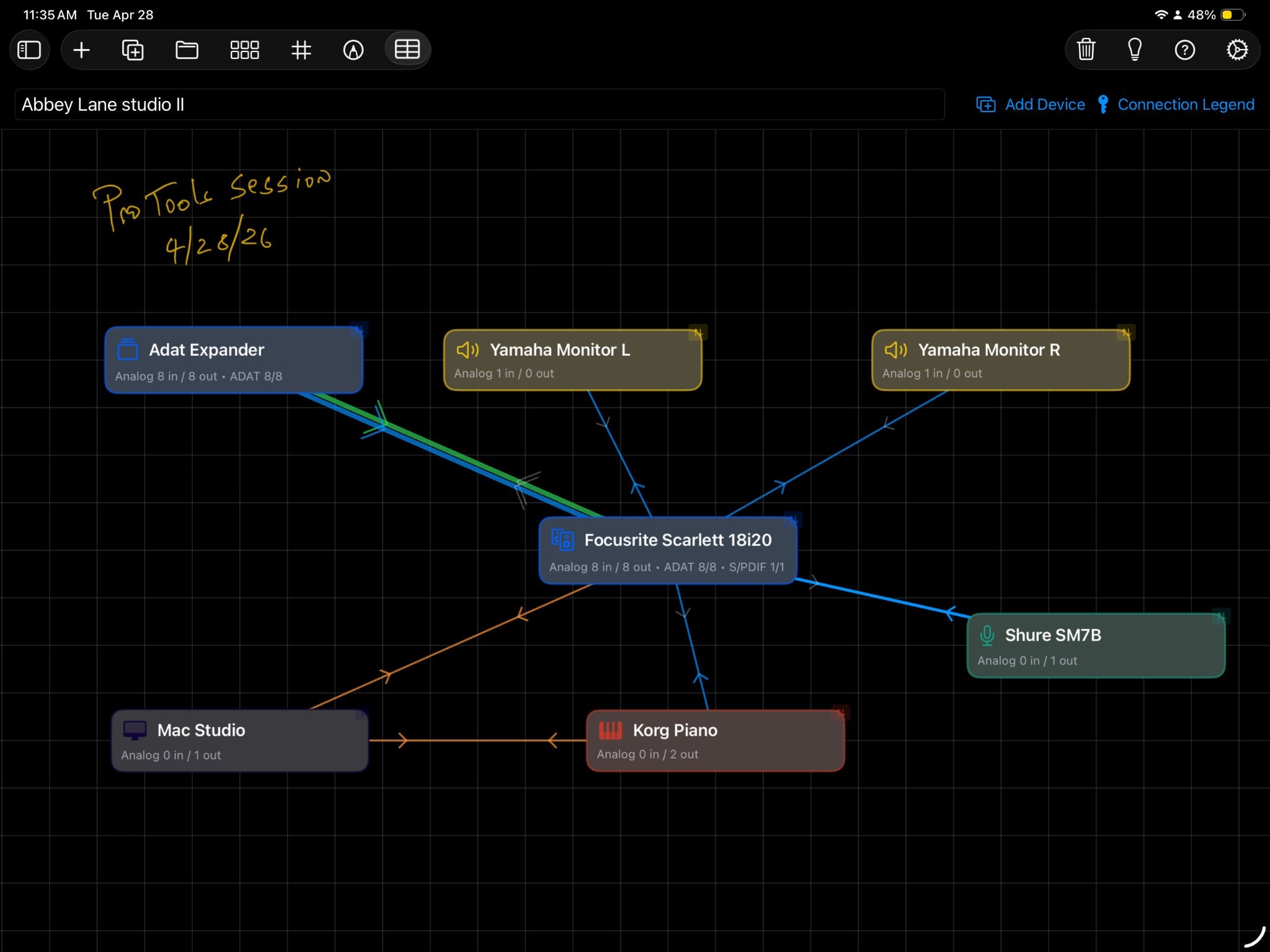
Build a visual map of your entire studio on an interactive canvas. Drag and drop devices, draw connections, and see your whole signal chain at a glance — on iPad with Apple Pencil or on Mac.
Connection matrix
A structured grid view of every input/output relationship in your studio. Instantly see what is patched where — great for troubleshooting and documentation.

Device library
Build a searchable library of every piece of gear in your studio. Store make, model, serial number, purchase date, and custom notes for each device.

Manual library
Import PDF manuals for any device and read them inside the app. Full-text search, bookmarks, and offline access — no more hunting for PDFs.

Guru Mode — smart device settings
Tap the lightbulb on any device to get intelligent starting settings: compressor attack/release, EQ curves for common sources, gain staging recommendations, and plugin parameter suggestions.
Gear Locker
Store equipment that moves between studios — mics, effects units, outboard gear — and assign it to any studio or session as needed. Always know where your gear is.
Multiple studios & sessions
Create unlimited studio configurations — Studio A, Studio B, a home setup, a live room — each with its own device library and signal flow. Switch between them instantly.
Import & export
Export any studio configuration as a .studioguru file and share it via AirDrop, email, or any file-sharing service. Import setups from other engineers instantly.
iCloud sync
Your studio data syncs automatically across all your iPads and Macs via iCloud. Changes on one device appear everywhere — no manual transfers needed.
Apple Pencil support
Draw connections and annotate your studio canvas naturally with Apple Pencil on iPad. Precision drawing for complex signal chains.
Ready to document your studio?
Download Studio Guru free from the App Store. Free for up to 6 devices — upgrade to Pro when you need more.